OpenAI Business Hub Rollout: Who Can Use It Now
OpenAI Business Hub entered beta on November 10, 2026. Which countries and business types get profiles, agents and Insights today, and what's still missing.
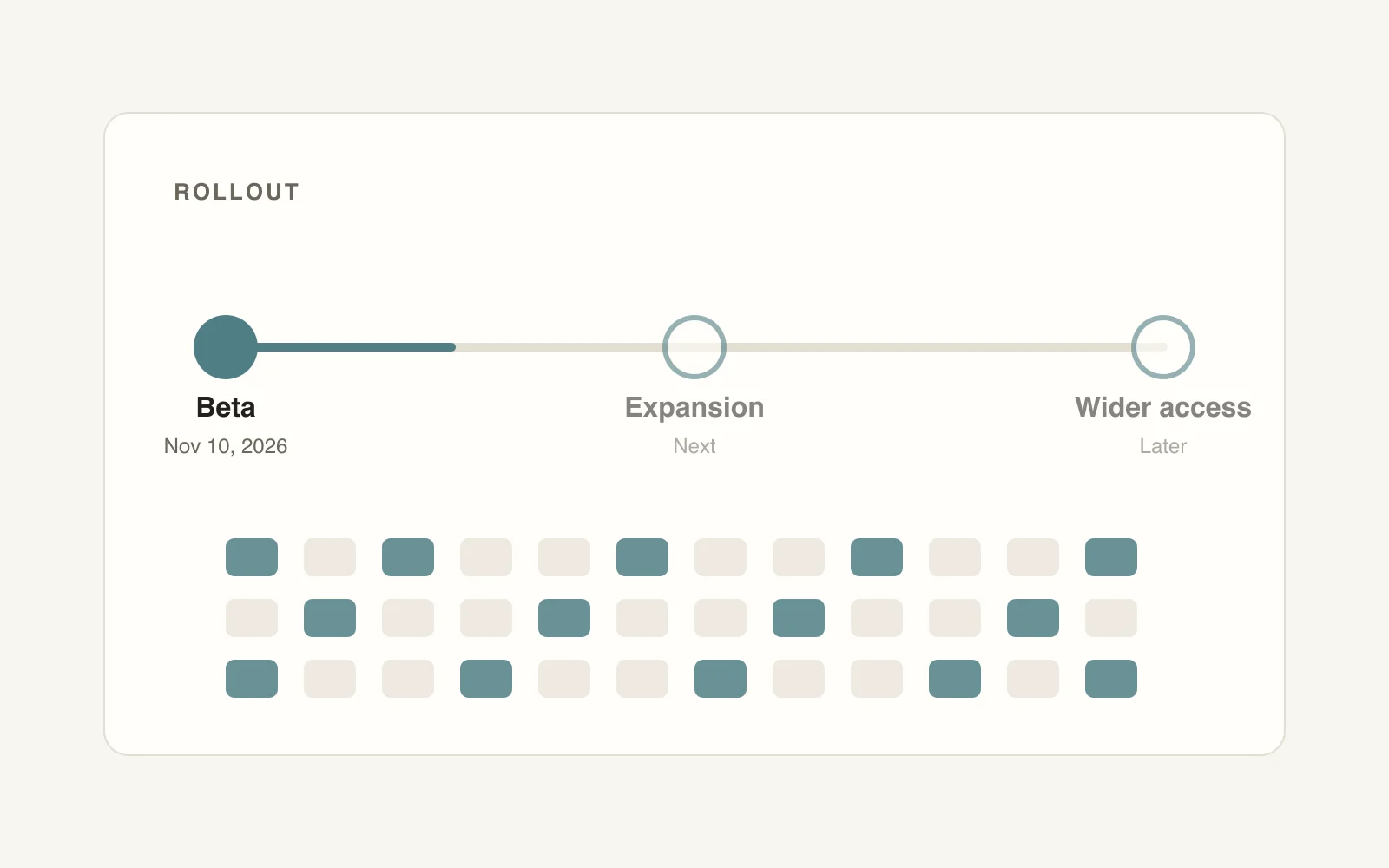
OpenAI launched Business Hub in beta on November 10, 2026. It arrived in pieces: profile claiming is open in most countries where ChatGPT operates, while business agents are limited to a narrow group of US companies. If you tried to sign up and hit a wall, the rollout rules below probably explain why.
This guide covers who can use which feature today, how the launch fits into OpenAI’s commerce plans and what to watch as the beta continues. For a walkthrough of the product itself, start with What Is OpenAI Business Hub?
The launch at a glance
- Date: November 10, 2026, as a beta
- Program name: Businesses in ChatGPT
- Where: chatgpt.com/business-hub and the ChatGPT sidebar
- Price: free at launch for profiles, Insights and business agents
- Partners named: Persona for identity checks, Shopify for store connections and catalog sync
OpenAI paired the launch with the free version of its business agents. A paid version, the Sponsored Business Agent, had already been in testing with advertisers since September and runs through ChatGPT Ads.
Who can use what
Availability depends on two things: where the business is based and what kind of business it is.
| Business type | Claim profile | Insights | Business agent |
|---|---|---|---|
| US e-commerce | Yes | Yes | Yes, if eligible |
| US online services | Yes | Yes | Yes, if eligible |
| US local business (store, restaurant) | Existing listings only | Yes, by location | No date given |
| Outside the US | Yes, where ChatGPT is available | Yes | Not available |
A few details sit behind that table.
Profiles are the broadest feature. Any business that meets OpenAI’s requirements in a country where ChatGPT is available can claim and verify a profile. Eligibility still depends on industry, location and integrity checks, so some categories can’t claim at all. You need a website to start.
Local businesses get a narrower deal. Shops, restaurants and other physical locations can only claim a listing ChatGPT already has, and only in the US. Online businesses may see an option to create a new listing if none exists.
Agents are the tightest. OpenAI limits business agents to eligible US e-commerce and online services companies with a website, subject to its Business Agents Policy. Passing verification doesn’t guarantee agent access. Some users outside the US see an “Agent builder isn’t available yet” message.
Multi-location brands wait. Each brand is managed on its own, and claiming the parent brand doesn’t claim its locations. Central management for chains isn’t available yet. OpenAI has said features for multi-unit businesses will come over time.
No Ads account or ChatGPT Enterprise contract is needed to claim a profile. Larger customers and advertisers can go through their OpenAI representative.
How long verification takes
OpenAI doesn’t publish a timeline. The claim goes through two checks: proof of connection to the business (phone code, email code, DNS TXT record or Shopify) and then identity verification through Persona. Early users report that review times vary, and OpenAI may email to ask for more documents. DNS changes can add their own delay.
Plan for days to be safe. If someone else has already claimed your listing, there’s a “Dispute ownership” option that routes through Persona.
Why OpenAI rolled it out this way
The staged release fits a pattern. OpenAI tried in-chat checkout with commission fees and stepped back from that effort in March 2026, according to TechCrunch reporting. Business Hub takes a different route: it gives businesses free tools to supply data and answer questions, and keeps the transaction on the merchant’s own site.
Starting with US online sellers makes sense on that model. They have structured product data, they often use Shopify and they’re the group most likely to buy Sponsored Business Agents later. The free agent and the paid sponsored agent run on the same system, which gives OpenAI an easy path from one to the other.
Shomair, OpenAI’s VP of monetization, did not rule out future charges for Business Hub features. Coverage at launch noted that the door is open for paid tiers.
What’s still unclear
The beta leaves several open questions:
- Insights window. Reports at launch described a 28-day view. Some accounts show a 7-day option too. OpenAI hasn’t said how far back mention data goes.
- Metric list. Mentions, website clicks and discovery topics are confirmed. A profile views figure appeared in launch images but isn’t in every account.
- Verification rules by industry. OpenAI hasn’t published which categories need extra checks or are excluded.
- Expansion dates. OpenAI plans to bring agents to more countries and business types but has given no timeline.
- Agent sync. Sponsored agents built in Ads Manager don’t yet share settings with the Business Hub agent.
What to do during the beta
Claim early. A free beta is the cheapest moment to lock in your listing and learn the dashboard before competitors do or pricing changes.
Fill every field. Delivery and return terms are the kind of detail ChatGPT gets wrong when it has to guess. Supplying them gives it accurate answers to repeat.
Record a baseline. Take a screenshot of your first Insights view, note your mention count and top topics and add a monthly line to whatever sheet you already use for search data.
Don’t count on the agent outside the US. If you’re in another country, focus on the profile and product feed for now.
Recheck in January. Betas move fast. Features, metrics and eligibility will likely look different within a few months, so put a reminder in your calendar to review what changed.
Read the other parts of this series: What Is OpenAI Business Hub? and OpenAI Business Hub vs Google Search Console. Browse more AI marketing guides.